How Wearable Sensors Help Football Academies Develop Players Faster
Key takeaways
- Foot-worn sensors give coaches objective technical data like shot counts and left/right foot balance.
- A simple weekly loop: baseline, pick one focus, set a target, review trends, adjust drills.
- Load data helps academies spot heavy weeks and adjust sessions to reduce overuse injury risk.
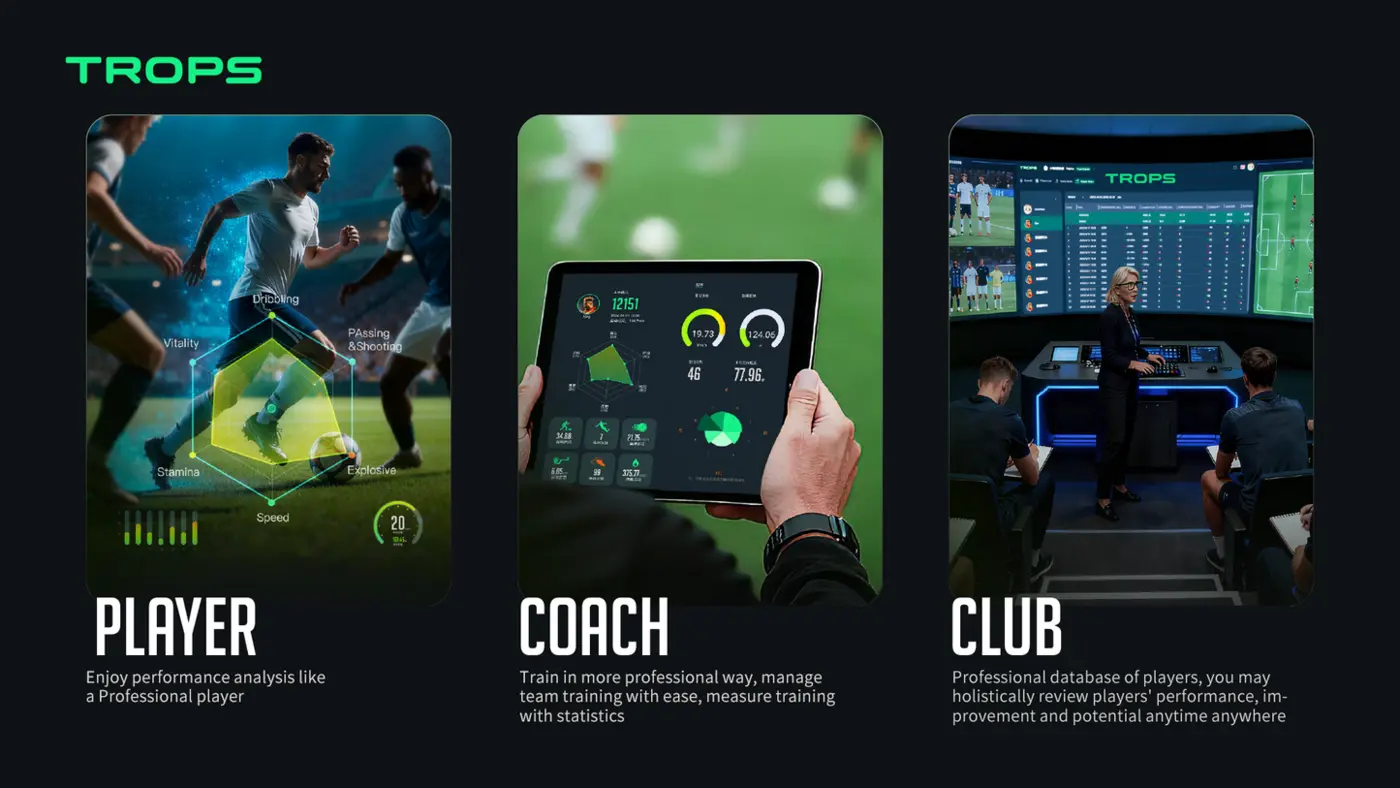
Elite clubs have used player data for years. Today, wearable sensors make the same tools practical and affordable for academies of every size. A small foot-worn sensor and a cloud dashboard can replace guesswork with numbers a coach can act on — without adding hours to the week. This guide covers what the data actually changes, how to introduce it step by step, and the mistakes that stop academies getting value from it.
Why Football Academies Are Adopting Wearables Now
Three things have changed. Sensors have become small and durable enough to wear on the foot for a full session. Software has moved to the cloud, so no one needs to install or maintain servers. And reporting has become simple enough that a coach can read a session summary in minutes. The result is that a club with two squads can work with the same kind of objective feedback that was once reserved for professional environments.
For academies, the value is not the technology itself. It is the conversation it enables: between coach and player, between coach and parent, and between coaches planning the week together.
Objective Technical Feedback
Coaches see exactly how many shots a player took, with which foot, and at what quality. Instead of “train your left foot more”, feedback becomes “you used your left foot in 18% of shots this month — let’s target 30% next month”. That shift from opinion to evidence is the core benefit, and it works at every level from under-12s to senior squads.
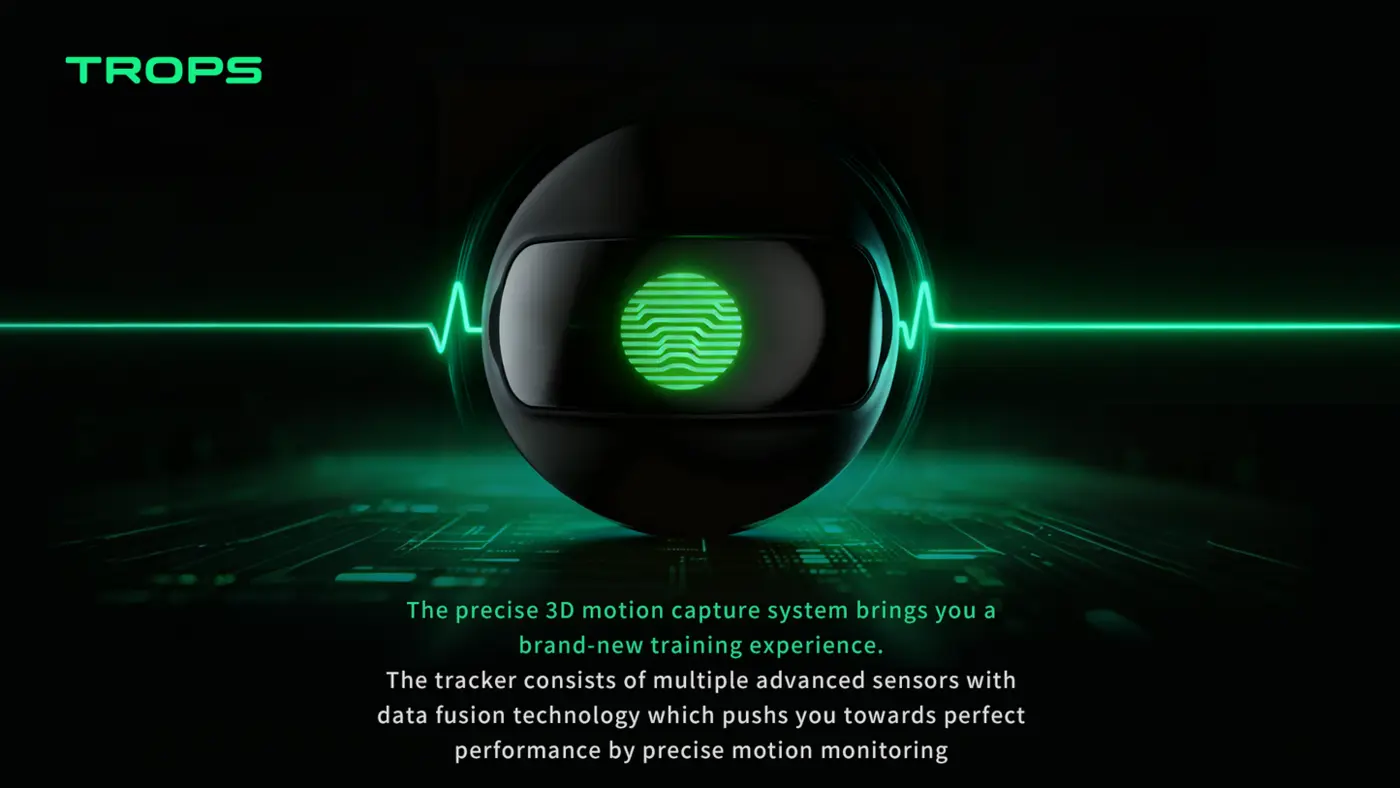
Foot-worn sensors are particularly useful here because so much of football technique happens at the foot. The TROPS-1 is a 25 g sensor with a 9-axis IMU sampling at high-rate, worn at the ankle. It measures touches, shots, strike quality and left/right foot balance alongside movement metrics — so technical and physical data come from the same device.
A Practical Weekly Routine
Start with a repeatable loop rather than a one-off test:
- Baseline. Record two normal sessions and one small-sided game so you have a reference point for each player.
- Pick one focus. Choose a single metric per player — for example left-foot shot share, touches in a session, or strike quality consistency.
- Set a target. Agree a realistic number with the player and write it down.
- Review weekly. Spend five minutes per player on the trend, not the single session.
- Adjust the session. Design one drill that directly targets the metric.
This is the same logic described in our guide to building a data-driven training program, adapted for academy schedules.
Common Mistakes With Technical Data
- Tracking too many metrics at once. Two or three per player is plenty.
- Judging players on one session. Trends over weeks are what matter.
- Comparing players publicly. Use data for individual development conversations.
- Ignoring context. A session with more small-sided games naturally produces more touches.
Load & Fatigue Management
Sprint volume and training load data help prevent overuse injuries — a growing concern in youth football. Academies can schedule rest intelligently rather than by guesswork. The practical version of this is simple: you can see which players have accumulated a heavy week, which ones are sprinting far more than their usual pattern, and which sessions are harder than the coach intended.
The TROPS-1 records sprints, top speed, distance, accelerations and decelerations, and training load. Because the sensor sits on the foot, it also captures the high-intensity efforts that matter in football but are easy to miss when you are watching from the sideline.
How to Build a Simple Load Review
- Define your week. Note which days are high, medium and low intensity before the week starts.
- Check the morning after. Look for players whose load or sprint volume jumped sharply compared with their own recent weeks.
- Flag, don’t diagnose. A flag means “ask the player and the physio”, not “this player is injured”.
- Adjust the next session. Reduce volume for flagged players, or move them into a lower-intensity group for part of the session.
- Review monthly. Look for repeated spikes in the same players and adjust the plan.
For a deeper treatment of the topic, see training load monitoring and injury prevention. Always keep medical decisions with qualified staff — data supports their judgement, it does not replace it.
Parent Communication
Progress reports turn abstract coaching into something parents can see and understand, improving retention and trust. Parents who understand what their child is working on are more likely to support the process, and less likely to compare their child to others on the sideline.
What a Good Parent Report Contains
- One or two development focuses, in plain language.
- A simple trend — improving, steady, or needs attention.
- What the academy is doing about it in training.
- One thing the parent can do to help, such as encouraging practice at home.
Avoid publishing rankings or raw numbers without context. The goal is understanding, not competition between families. The Team Platform produces per-player and per-team reports that can be shared in this format.
Scaling From One Squad to Many
Platform-based solutions scale naturally: add squads, players and sensors without changing your workflow. That matters for academy directors and schools, where the number of participants often grows faster than the coaching team.
Scaling Checklist
- Standardise the session tags coaches use, so reports stay comparable across squads.
- Assign one “data lead” per age group to keep reviews happening.
- Set a fixed weekly review slot rather than relying on ad hoc checks.
- Keep sensor charging and cleaning in one place with a simple sign-out process.
- Train new coaches on the dashboard before their first session, not after.
The Academy Bundle combines sensors, platform and onboarding for 10 to 100+ players, which is designed for exactly this kind of staged rollout. Schools running larger programmes can follow the model in our guide to school football programmes and player tracking.
Choosing Hardware and Software That Fit an Academy
Practical considerations matter more than feature lists. Check battery life against your longest session day — the TROPS-1 offers a rechargeable battery sized for a full training day, Bluetooth 5.0 connectivity and IP66 protection, with iOS and Android supportrt. Confirm the mounting option suits your players (ankle) and that certifications such as certification documentation match your market requirements.
For a structured comparison, read our buying guide for football data tracking equipment. Distributors evaluating supply should also review MOQ and OEM considerations — samples start at 10 units and OEM orders at 100 units.
A 30-Day Pilot Plan
- Week 1 — Setup. Choose one squad, assign sensors, and record baseline sessions.
- Week 2 — First review. Pick one metric per player and set targets.
- Week 3 — Adjust. Change one drill per player based on the data, and start load flags.
- Week 4 — Report. Produce a short parent update and a coach debrief.
At the end of the month, decide whether to expand to a second squad. Most academies find the review routine, not the hardware, is the deciding factor. Our youth academy technical development case shows how this looks in practice.
Frequently Raised Concerns
Will players actually wear the sensors?
Foot-worn sensors are small and strap on at the ankle, so they add little to the kit routine. Build them into the warm-up check like any other piece of equipment.
Do we need a data analyst?
No. The platform produces per-player and per-team reports with technical KPIs, load and trends, plus video sync. One coach per age group can run the weekly review.
How do we keep data comparable over time?
Use consistent session types and tags, and review trends rather than single sessions. Consistency in how you record is more important than the number of metrics you collect.
See how it works in practice — explore our products or request a demo.
Next Step
If you are an academy director, school or distributor planning a rollout, the fastest way to decide is a short conversation about your squad numbers, session schedule and reporting needs. Contact the RunSports team to discuss a pilot, samples or OEM options.
Recommended for your program
Frequently asked questions
What can a foot-worn sensor actually measure for an academy player?
The TROPS-1 measures touches, shots, strike quality and left/right foot balance, plus movement metrics like sprints, top speed, distance, accelerations, decelerations and training load. Because technical and physical data come from the same device, coaches get one consistent picture of each player across a session.
How should an academy introduce wearable data without adding hours to the week?
Start with a repeatable weekly loop: record two normal sessions and a small-sided game as a baseline, pick one metric per player, agree a realistic target, then spend about five minutes per player reviewing the trend each week. Design one drill that targets that metric. Keep to two or three metrics per player rather than tracking everything.
What mistakes stop academies getting value from technical data?
Common mistakes include tracking too many metrics at once, judging players on a single session instead of trends over weeks, comparing players publicly, and ignoring context such as sessions with more small-sided games naturally producing more touches. Data should support individual development conversations, not rankings or one-off judgements.
How can wearable data support parent communication and player retention?
Progress reports turn abstract coaching into something parents can see and understand, which improves retention and trust. A good report contains one or two development focuses in plain language, a simple trend, what the academy is doing in training, and one thing the parent can do to help. Avoid publishing rankings or raw numbers without context.
Need help choosing the right equipment?
Talk to Our Export TeamRelated Reading
What Is a Soccer Foot Tracker and How Does It Improve Youth Training?
A practical guide to soccer foot trackers: how IMU sensors measure shots, sprints and foot balance, and how academies use the data in daily training.
Read →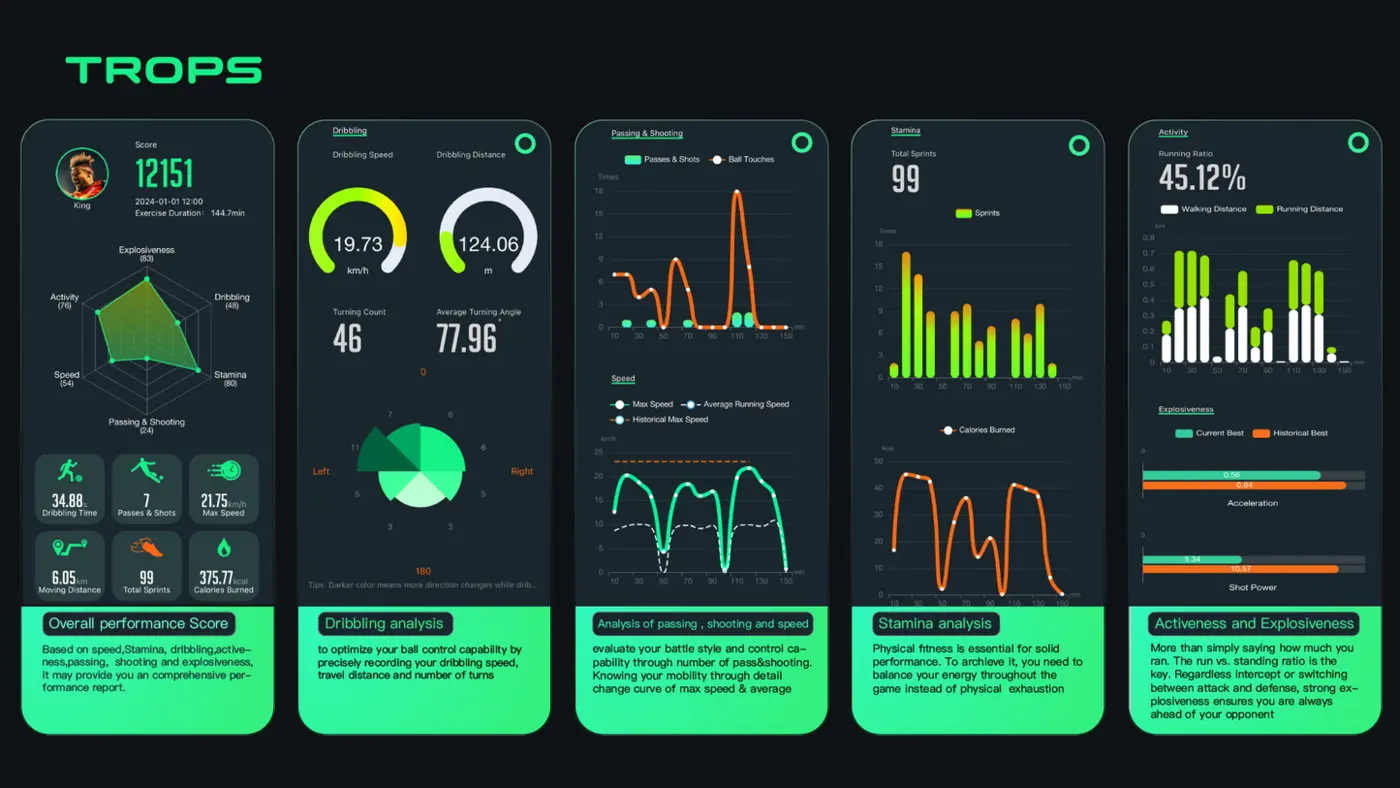
Buying Guide: What to Look for in Football Data Tracking Equipment
A practical buying guide for academies, schools, clubs and distributors comparing football data tracking wearables — accuracy, battery, durability, software, MOQ and support.
Read →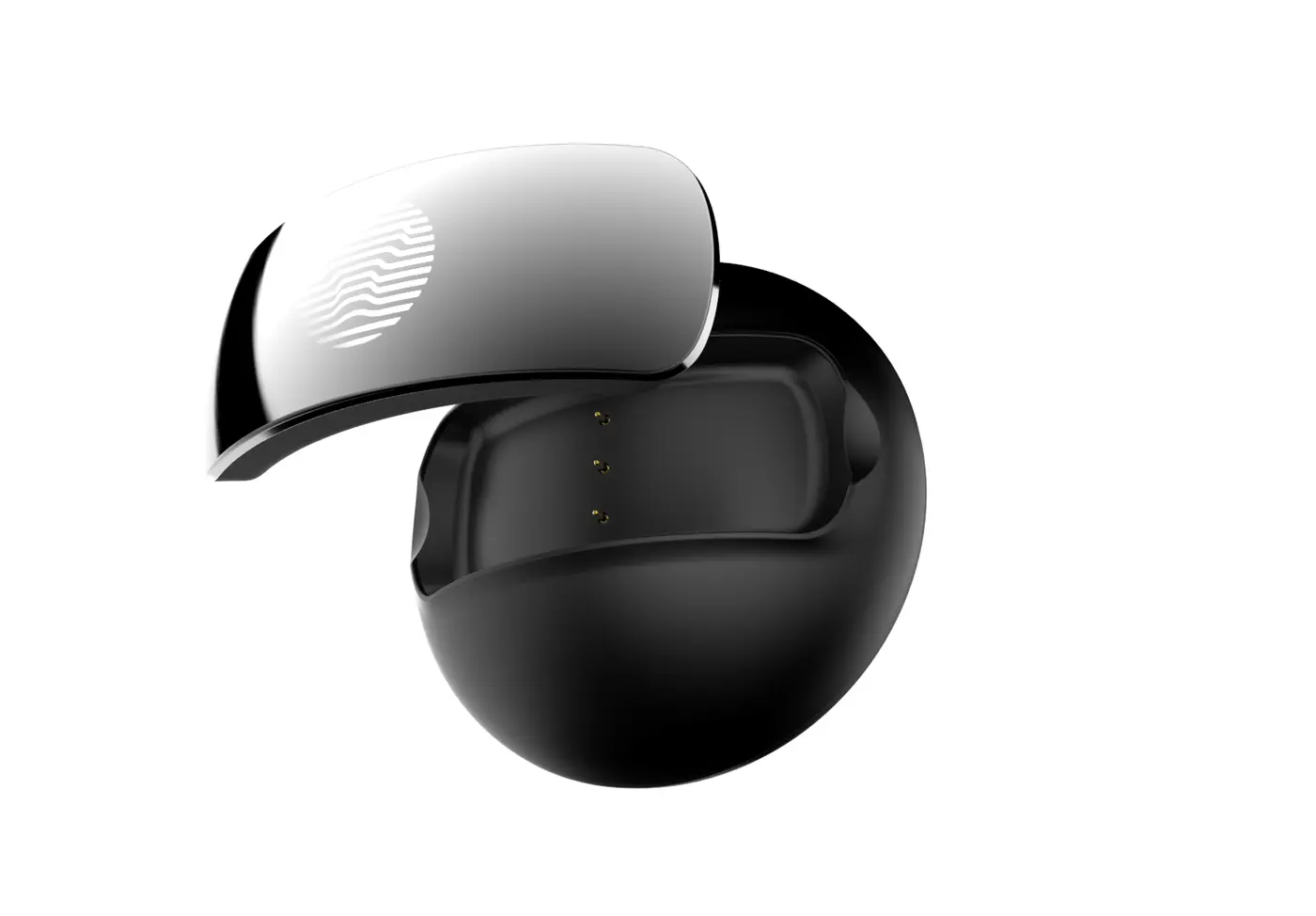
How to Choose a Wearable Supplier: MOQ, OEM and After-Sales Support
A practical guide for distributors, academies and schools on choosing a football wearable supplier: MOQ tiers, OEM scope, QC, after-sales and regional protection.
Read →